

5/3/1 for Beginners
3 days a week · about 50 minSlow, steady strength, with weights kept under your max. The weight goes up cycle by cycle. 5/3/1 for Beginners explained
Strength planner for iPhone
Open it at the gym and today’s weights, sets and reps are already there. Tap each set as you lift. When you finish, your next workout is planned.
Free, with no account. It works without a signal.
The hard part is knowing what to lift, keeping track of it and knowing when to add weight. Sabel does that part, so all that is left at the gym is the lifting.
50 seconds
This is a real screen from the app. You never work out a weight, count plates or look up what you did last week.
 12345
Squat at 72.5 kg, with what goes on each side of the bar: 25 and 1.25. No adding up at the rack.
A short ramp from the empty bar toward today’s weight, already worked out.
Five sets of three here, the last for as many reps as you can. Reach the total and the weight goes up next time.
The same set from your last session, so you know what you are trying to beat.
The countdown starts when you log a set. Add or drop 30 seconds if you need to.
Logging is one tap per set, so the phone stays in your pocket for most of the session.
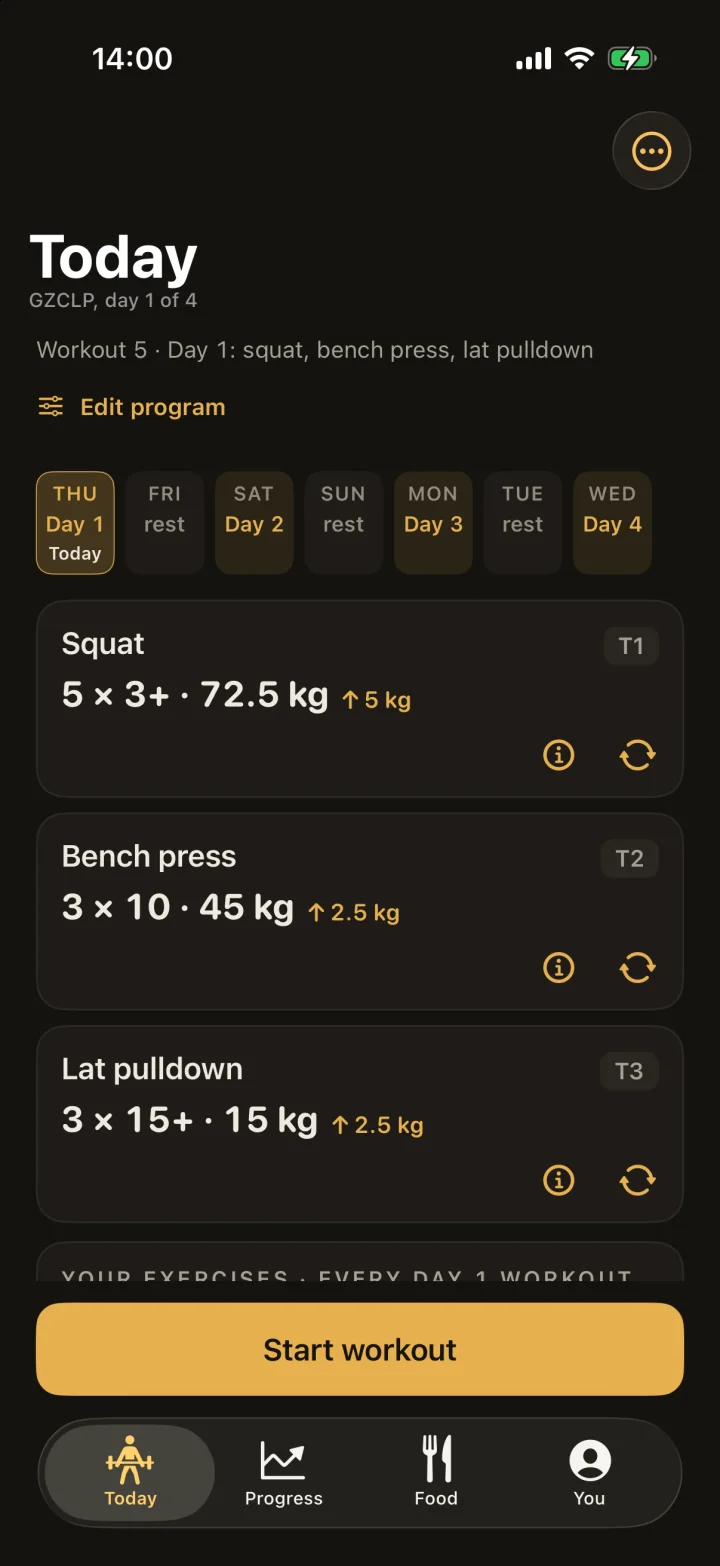
Sabel worked it out from your program and what you lifted last time. Miss a week and the same session is still next.
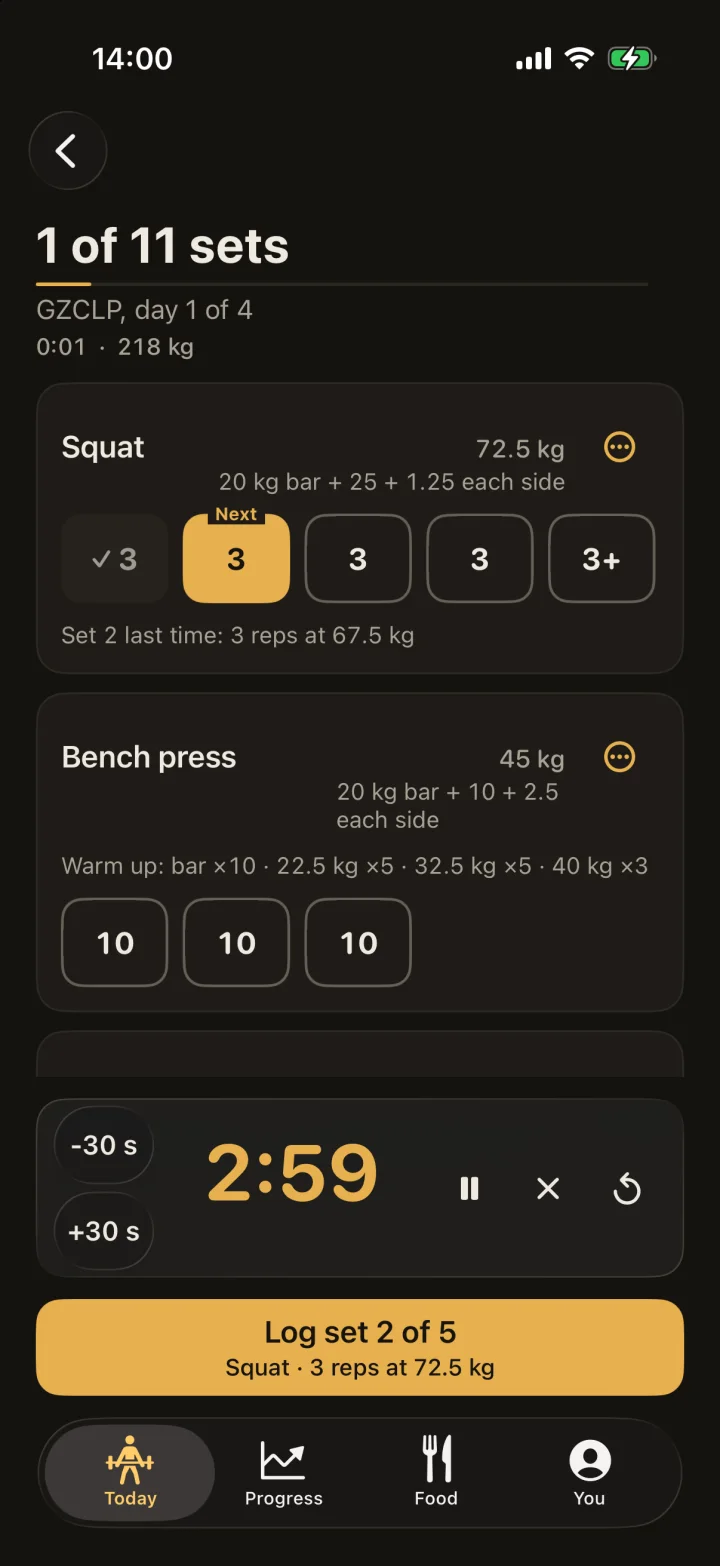
The rest timer starts on its own, and a voice can tell you how long is left. You can log the next set from the Lock Screen.
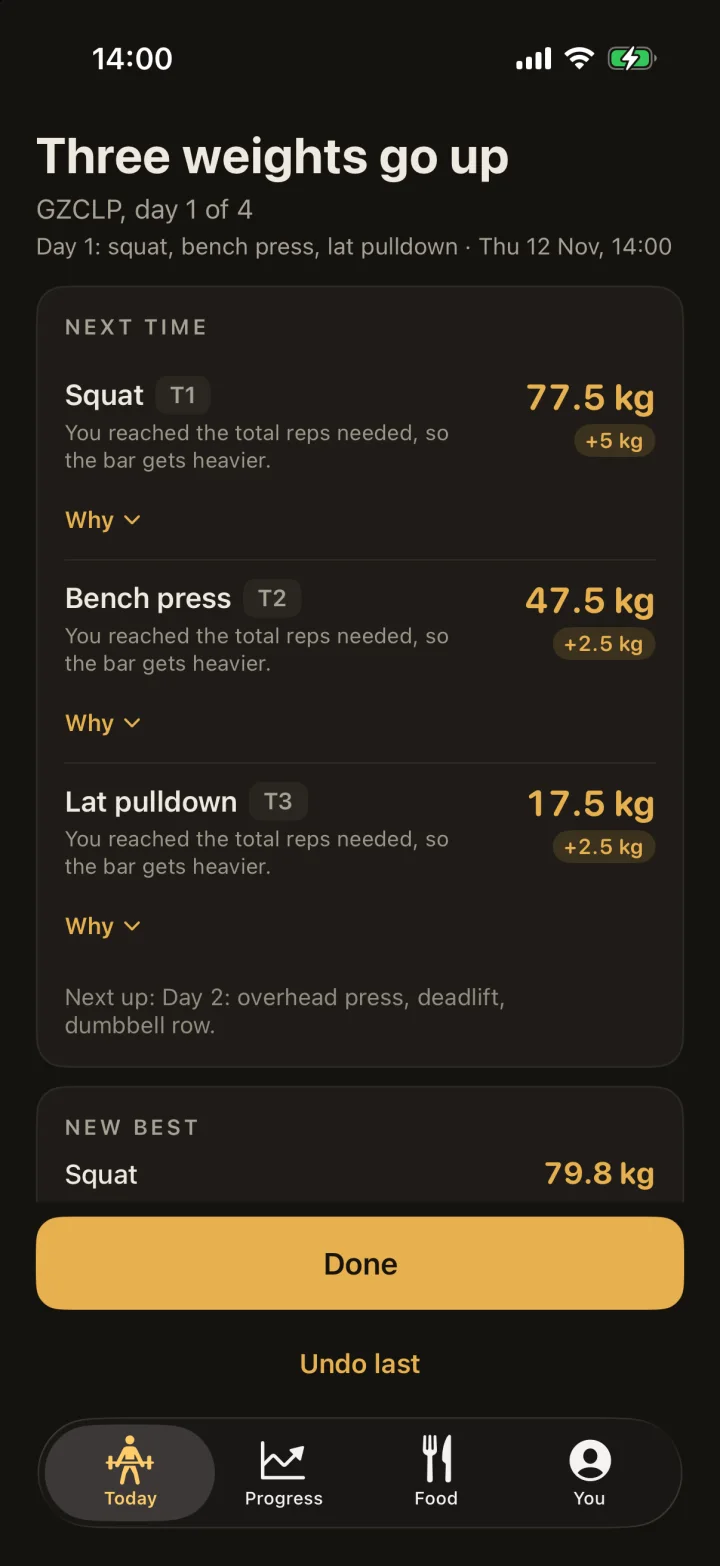
Sabel checks your sets against the program’s rules and sets the next weight. Hit your reps and it goes up. Miss them and the plan adjusts.
Tap the sets below as if you just lifted them, then press Finish. Sabel works out your next bench press and tells you why. No download needed.
The interactive sample uses JavaScript. Here is one example of the same progression:
50 kg · 5 sets of 315 reps completed52.5 kg · 5 sets of 3
Finish below 15 total reps and the next main bench session stays at 50 kg, with 6 sets of 2. The final set of each stage allows extra reps.
50 kg
5 sets of 3 · final set 3+
0 of 5 sets logged
REP STAGE 1Tap to log. Tap again to undo.
The final 3+ set asks for the reps you completed.
A sample with made-up numbers and one lift. Nothing here touches your training, and it resets when you reload.
With GZCLP, Sabel judges the completed reps and loads against the program’s target. Meeting it can increase the weight. Missing it can change the rep stage. Your next session comes from the work recorded before it.
This sample holds every set at the displayed weight and follows the main-lift stages: 5×3, 6×2, then 10×1, each with extra reps allowed on the final set. A missed third stage needs a new five-rep max, which the real app asks you to enter.
After a successful GZCLP workout, extra reps on the final set can earn a small, capped credit in Sabel. Here, that credit is rounded down to the 2.5 kg plate grid and capped at 2.5 kg, before the normal 2.5 kg increase.
5/3/1 works differently: Sabel calculates its working weights from a training max and the current cycle. Training-max progression happens between cycles.
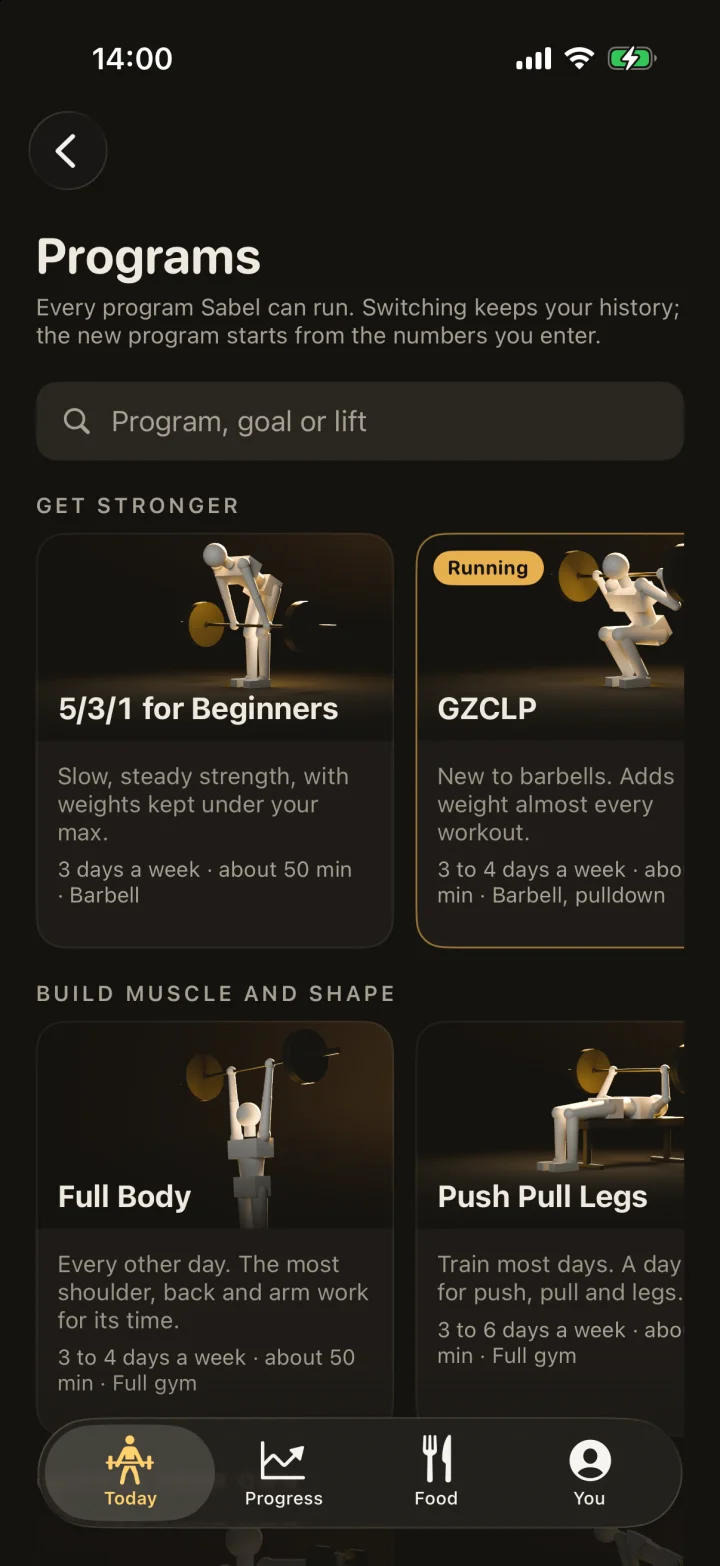
Each one has clear rules for when the weight goes up. Sabel keeps track of them. You can switch program later, and your history stays.
Slow, steady strength, with weights kept under your max. The weight goes up cycle by cycle. 5/3/1 for Beginners explained
New to barbells. Adds weight almost every workout. GZCLP explained
Every other day. The most shoulder, back and arm work for its time. Full Body explained
Train most days. A day each for push, pull and legs. Push Pull Legs explained
You pick the body parts and how long. Sabel builds the workout around them. Dynamic explained
Not sure about your starting weights? Tap “I do not know” and Sabel starts you light, with room to go up.
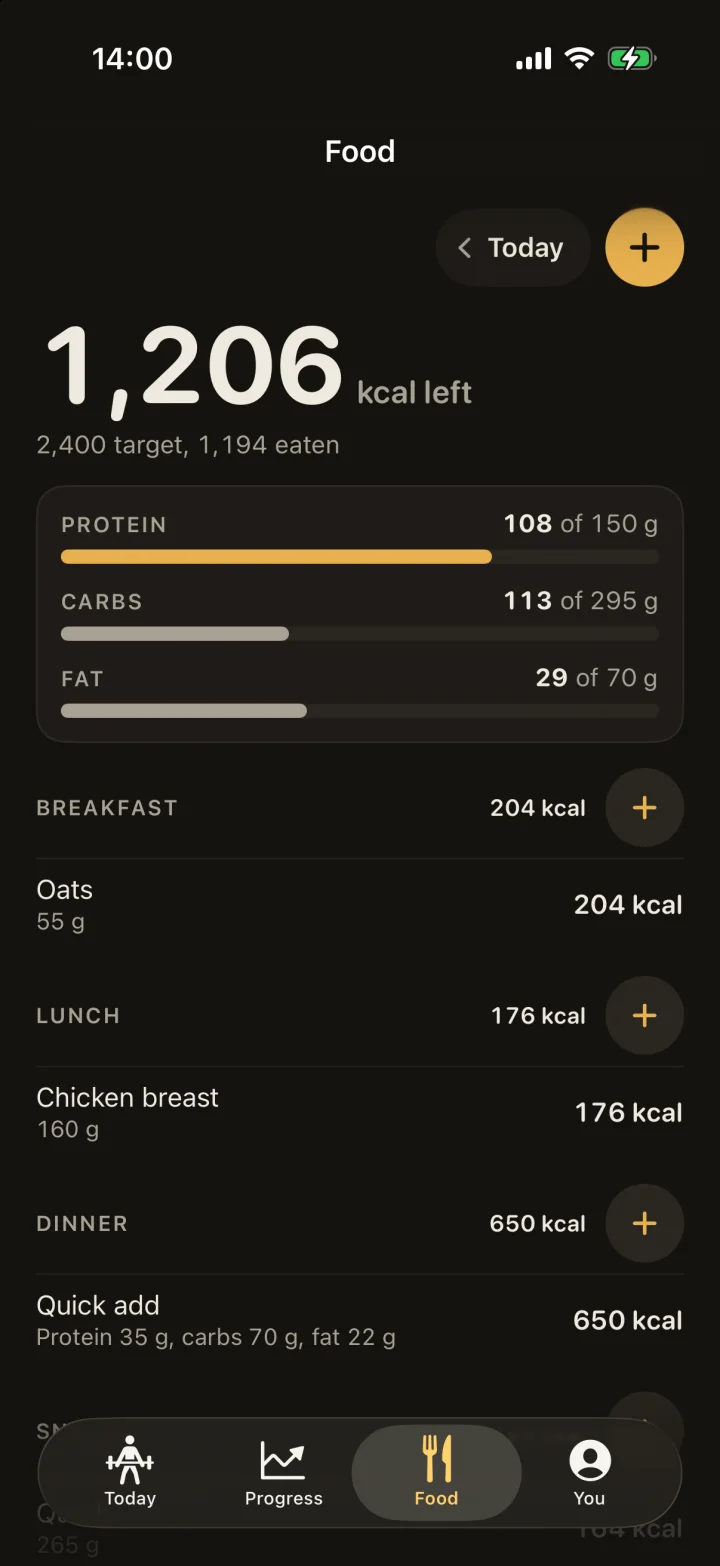
Type a daily calorie target and Sabel shows what is left, with protein, carbs and fat beside it. Search for a food, add calories quickly, or create a food of your own. The foods you log often are one tap away next time.
Sabel doesn’t send your workouts to us. There’s no account to make, and it works without a signal.
Backup is off until you turn it on. It keeps your training in your own private iCloud account, so you can restore it on a new iPhone.
Save a full backup as a file and bring it back into the app later.
Sabel can save workouts to Apple Health with heart rate and active energy. That needs iOS 26 or later and stays off until you turn it on.

Free on iPhone. No app account needed.